


Page 272 - Computer_Science_F5
P. 272
Program Example 4.21:

                Using ‘if ...else’ to write a program

                              #include<iostream>                                                   Chapter Four: Object oriented programming with C++
                              using namespace std;
          FOR ONLINE READING ONLY
                              int main()
                              {
                                     int marks;
                                     cout<<”Enter marks of the student: “;
                                     cin>>marks;
                                     if(marks>=50)
                              {
                                  cout<<”You have been selected to join form five”<<endl;
                                  }
                              else
                                  {
                                   cout<<”You are not selected”<<endl;
                                  }
                                   return 0;
                                }


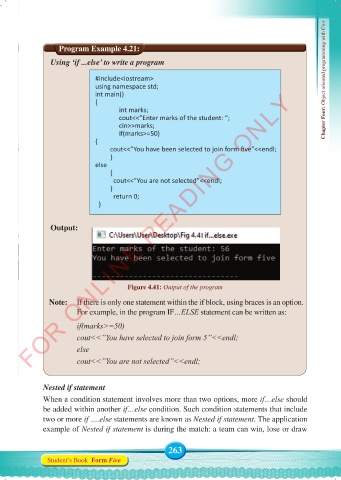
                Output:


                                        Figure 4.41: Output of the program

                Note:   If there is only one statement within the if block, using braces is an option.
                        For example, in the program IF…ELSE statement can be written as:
                        if(marks>=50)

                        cout<<”You have selected to join form 5”<<endl;
                        else
                        cout<<”You are not selected”<<endl;


              Nested if statement
              When a condition statement involves more than two options, more if…else should
              be added within another if…else condition. Such condition statements that include
              two or more if ….else statements are known as Nested if statement. The application
              example of Nested if statement is during the match: a team can win, lose or draw


                                                    263
               Student’s Book  Form Five


     Computer Science Form 5.indd   263                                                     23/07/2024   12:34

