


Page 356 - Computer_Science_F5
P. 356
(d) Creating multi-clases with main()
              In Java, you can create an object of a class and utilise it in another class. In Java
              this  is commonly  employed  for improved  class  organisation,  where  one  class
              encompasses all attributes and methods, while another class contains the main()      Chapter Five: Object oriented programming with Java
              method that carries the code to be executed. Note that, in the real world, when you
          FOR ONLINE READING ONLY
              develop applications, small applications can be accommodated by a single class, but
              larger applications often require multiple classes. Very important to note is that the
              name of the Java file must corresponds to the class name. In Program Example 5.17,
              learn by establishing two classes: Book.java and Application1.java with the main
              method. These should be contained within the same directory.

                       Program Example 5.17:

               Java program to demonstrate multiple class Book.java and Application1.java

                 public class Book {
                   int x = 117;
                 }
                 class Application1 {
                     public static void main(String[] args) {
                     Book myApp = new Book();
                     System.out.println(myApp.x);
                     }
                 }


                Output:

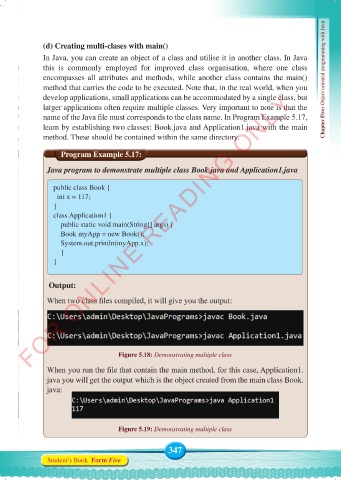
               When two class files compiled, it will give you the output:


                                     Figure 5.18: Demonstrating multiple class

               When you run the file that contain the main method, for this case, Application1.
               java you will get the output which is the object created from the main class Book.
               java:


                                     Figure 5.19: Demonstrating multiple class


                                                    347
               Student’s Book  Form Five


     Computer Science Form 5.indd   347                                                     23/07/2024   12:34

