


Page 364 - Computer_Science_F5
P. 364
Program Example 5.23:

                Java program to demonstrate inheritance

                 class Vehicle {                                                                   Chapter Five: Object oriented programming with Java
                   protected String brand = “Nissan”;        // This shows vehicle attribute
          FOR ONLINE READING ONLY
                   public void horning () {                    // This shows vehicle method
                       System.out.println(“Pooo, Pooo!”);
                       }
                   }
                 class Car extends Vehicle {
                   private String modelName = “X-Trail”;    // Car attribute
                   public static void main(String[] args) {
                     // Create a myCar object
                     Car myCar = new Car();
                     // This code call the horning() method (from the super class) on the myCar object
                     myCar.horning();
                     // This code display the value of the brand attribute (from the Vehicle class) and the
                     //value of the modelName from the Car class
                     System.out.println(myCar.brand + “ “ + myCar.modelName);
                   }
                 }
                Output:


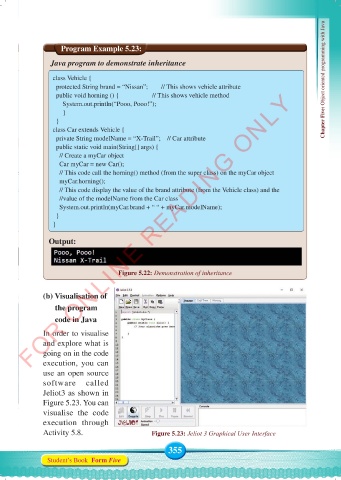
                                     Figure 5.22: Demonstration of inheritance


              (b) Visualisation of
                    the program
                    code in Java

              In order to visualise
              and explore what is
              going on in the code
              execution,  you  can
              use an open source
              software  called
              Jeliot3 as shown in
              Figure 5.23. You can
              visualise  the  code
              execution through
              Activity 5.8.                    Figure 5.23: Jeliot 3 Graphical User Interface

                                                    355
               Student’s Book  Form Five


     Computer Science Form 5.indd   355                                                     23/07/2024   12:34

