


Page 407 - Computer_Science_F5
P. 407
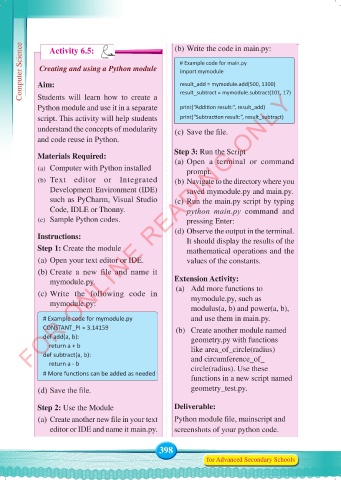
Computer Science  Aim:                         (b) Write the code in main.py:
                 Activity 6.5:
                                                       # Example code for main.py
             Creating and using a Python module
                                                       import mymodule
                                                       result_add = mymodule.add(500, 1300)
          FOR ONLINE READING ONLY
            Students will  learn  how to create  a
            Python module and use it in a separate     result_subtract = mymodule.subtract(101, 17)
                                                       print(“Addition result:”, result_add)
            script. This activity will help students   print(“Subtraction result:”, result_subtract)
            understand the concepts of modularity     (c) Save the file.
            and code reuse in Python.

            Materials Required:                       Step 3: Run the Script
                                                      (a) Open  a  terminal  or  command
             (a)  Computer with Python installed         prompt.
             (b)  Text editor or Integrated           (b) Navigate to the directory where you
                Development Environment (IDE)            saved mymodule.py and main.py.
                such as PyCharm, Visual Studio        (c) Run the main.py script by typing
                Code, IDLE or Thonny.                    python  main.py command and
             (c)  Sample Python codes.                   pressing Enter:

                                                      (d) Observe the output in the terminal.
            Instructions:                                It should display the results of the
            Step 1: Create the module                    mathematical operations and the
             (a) Open your text editor or IDE.           values of the constants.
             (b) Create  a  new  file  and  name  it
                mymodule.py.                          Extension Activity:
             (c) Write the following code in          (a)  Add more functions to
                                                           mymodule.py, such as
                mymodule.py:
                                                           modulus(a, b) and power(a, b),
              # Example code for mymodule.py               and use them in main.py.
              CONSTANT_PI = 3.14159                   (b)  Create another module named
              def add(a, b):                               geometry.py with functions
                  return a + b                             like area_of_circle(radius)
              def subtract(a, b):                          and circumference_of_
                  return a - b                             circle(radius). Use these
              # More functions can be added as needed
                                                           functions in a new script named
             (d) Save the file.                            geometry_test.py.

            Step 2: Use the Module                    Deliverable:
             (a) Create another new file in your text   Python module file, mainscript and
                editor or IDE and name it main.py.    screenshots of your python code.


                                                 398
                                                                for Advanced Secondary Schools


     Computer Science Form 5.indd   398                                                     23/07/2024   12:34

