


Page 479 - Computer_Science_F5
P. 479
Computer Science  in a table, use the following syntax ALTER TABLE table_name DROP COLUMN
           column_name;  For example  - We  need  to  delete  ParentName  from  the  student_
           registration table; the command will be: ALTER TABLE student_registration DROP
           COLUMN ParentName; To modify a column data type in a table, use the following
           syntax ALTER TABLE table_name MODIFY COLUMN column_name datatype;
          FOR ONLINE READING ONLY
           (c) DROP
           The drop command is used to delete both the table structure and the record stored
           in the table. The syntax is DROP TABLE table_name; For example: If you want
           to delete table student_registration, the command will be DROP TABLE student_
           registration. This will delete the table and its contents.

           (d) TRUNCATE
           It is used to delete all rows in the table. The syntax is TRUNCATE TABLE table_
           name; For example: If you have to delete the rows in the student_registration table,
           you need to write TRUNCATE TABLE student_registration;


           Data Manipulation Language (DML) commands
           DML commands are used to modify the database. Those commands are responsible
           for all forms of CHANGES in the database. The command of DML is not auto-
           committed, which means it cannot permanently save all the changes in the database.
           They can be rolled back. DML involves INSERT, UPDATE, and DELETE commands.

           (a) INSERT
           The INSERT command is used to add new records to the table. The syntax is INSERT
           INTO table_name (column1, column2, column3, ...) VALUES (‘value1’, ‘value2’,
           ‘value3’, ...); Example: Insert students’ data in the student_registration table with
           column (studentID, FirstName, MiddleName, LastName, Address).

           An example of an INSERT query
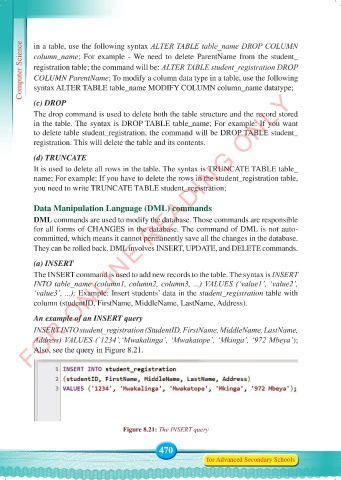
           INSERT INTO student_registration (StudentID, FirstName, MiddleName, LastName,
           Address) VALUES (`1234`,‘Mwakalinga’, ‘Mwakatope’, ‘Mkinga’, ‘972 Mbeya’);
           Also, see the query in Figure 8.21.


                                      Figure 8.21: The INSERT query


                                                 470
                                                                for Advanced Secondary Schools


     Computer Science Form 5.indd   470                                                     23/07/2024   12:34

