


Page 524 - Computer_Science_F5
P. 524
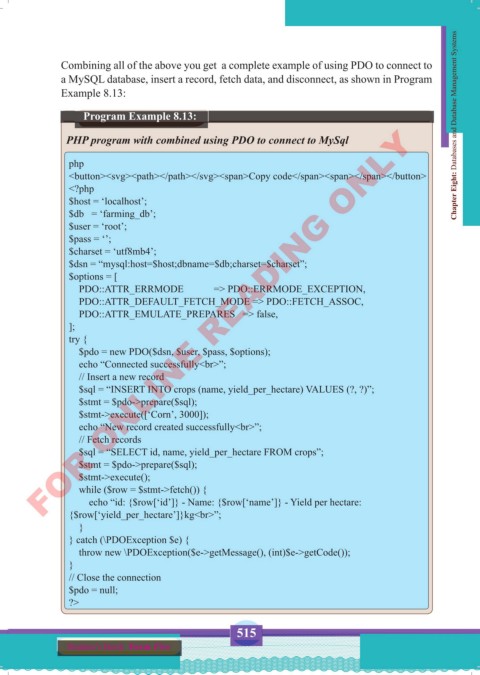
Combining all of the above you get  a complete example of using PDO to connect to
              a MySQL database, insert a record, fetch data, and disconnect, as shown in Program
              Example 8.13:

                      Program Example 8.13:                                                        Chapter Eight: Databases and Database Management Systems
          FOR ONLINE READING ONLY
               PHP program with combined using PDO to connect to MySql

                php
                <button><svg><path></path></svg><span>Copy code</span><span></span></button>
                <?php
                $host = ‘localhost’;
                $db   = ‘farming_db’;
                $user = ‘root’;
                $pass = ‘’;
                $charset = ‘utf8mb4’;
                $dsn = “mysql:host=$host;dbname=$db;charset=$charset”;
                $options = [
                    PDO::ATTR_ERRMODE            => PDO::ERRMODE_EXCEPTION,
                    PDO::ATTR_DEFAULT_FETCH_MODE => PDO::FETCH_ASSOC,
                    PDO::ATTR_EMULATE_PREPARES   => false,
                ];
                try {
                    $pdo = new PDO($dsn, $user, $pass, $options);
                    echo “Connected successfully<br>”;
                    // Insert a new record
                    $sql = “INSERT INTO crops (name, yield_per_hectare) VALUES (?, ?)”;
                    $stmt = $pdo->prepare($sql);
                    $stmt->execute([‘Corn’, 3000]);
                    echo “New record created successfully<br>”;
                    // Fetch records
                    $sql = “SELECT id, name, yield_per_hectare FROM crops”;
                    $stmt = $pdo->prepare($sql);
                    $stmt->execute();
                    while ($row = $stmt->fetch()) {
                        echo “id: {$row[‘id’]} - Name: {$row[‘name’]} - Yield per hectare:
                {$row[‘yield_per_hectare’]}kg<br>”;
                    }
                } catch (\PDOException $e) {
                    throw new \PDOException($e->getMessage(), (int)$e->getCode());
                }
                // Close the connection
                $pdo = null;
                ?>


                                                    515
               Student’s Book  Form Five


     Computer Science Form 5.indd   515                                                     23/07/2024   12:35

