


Page 236 - Computer_Science_F5
P. 236
Step 2:  Install Dev C++ on your computer by double-clicking the downloaded
                        executable file.
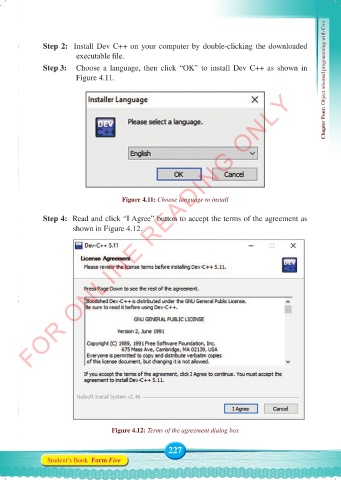
              Step 3:     Choose a language, then click “OK” to install Dev C++ as shown in
                        Figure 4.11.                                                               Chapter Four: Object oriented programming with C++
          FOR ONLINE READING ONLY


                                      Figure 4.11: Choose language to install

              Step 4:  Read and click “I Agree” button to accept the terms of the agreement as
                       shown in Figure 4.12.


                                   Figure 4.12: Terms of the agreement dialog box


                                                    227
               Student’s Book  Form Five


     Computer Science Form 5.indd   227                                                     23/07/2024   12:33

